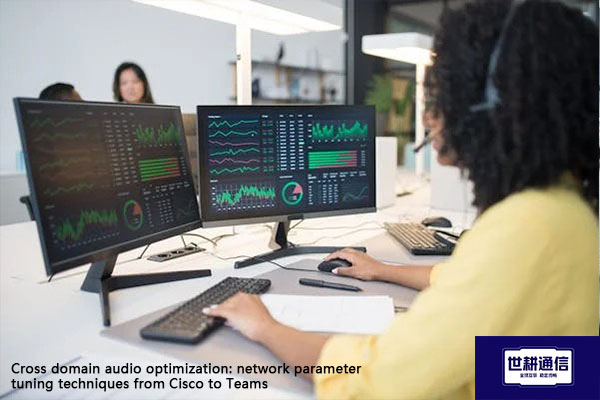
Cross domain audio optimization: network parameter tuning techniques from Cisco to Teams?? Solution//Global IPLC service provider of Shigeng Communication
一、It is becoming increasingly common for Cisco terminals, Webex meeting room devices, CUCM/ExpressWay environments, and Microsoft Teams meetings to coexist in multinational corporations or hybrid office environments. In cross platform meetings, audio is often more sensitive than video: video stuttering is acceptable, but once the audio is interrupted, echoes, or delayed, the meeting experience quickly deteriorates. The key to optimizing cross domain audio from Cisco to Teams is not blindly increasing bandwidth, but aligning ports, protocols, DSCP tags, queue policies, and firewall releases to ensure that audio streams always receive the highest priority within the enterprise intranet.
1. First, distinguish three types of traffic: signaling, audio, and video, which cannot be mixed together
Cisco to Teams cross domain audio typically involves three types of traffic:
Signaling traffic: including Teams meeting join, SIP/H323 calls, CVI/WebRTC interoperability control flow.
Real time audio traffic: Voice media streams are most sensitive to latency, jitter, and packet loss.
Real time video/shared traffic: video, screen sharing, content collaboration, higher bandwidth usage, but slightly higher tolerance than audio.
The real-time media traffic on the Teams client side needs to access the transport relay through UDP 3478-3481, and the client source port is usually 50000-50059. If QoS tagging is enabled, Teams will further divide the port range by media type, with audio corresponding to 50000-50019, video corresponding to 50020-50039, and application/screen sharing corresponding to 50040-50059.
Cisco needs to pay attention to the media ports and DSCP behavior of Webex or CUCM/ExpressWay devices. Webex clients and meeting room devices typically use UDP media ports, commonly ranging from 16384-32767 or device registration ports; In CUCM/PCS environments, voice media is typically labeled as DSCP EF (46), video media as DSCP AF41 (34), and signaling as DSCP CS3 (24).
The first principle of cross domain optimization is that the ports and labels at both ends must be stably recognized by Cisco network devices, otherwise QoS policies cannot take effect.
2. Teams side QoS parameters: Port range should be 'fixed first, then marked'
Teams defaults to using dynamic ports, which is not conducive to fine classification of network devices. If QoS is to be implemented, it is recommended to enable "Quality of Service tagging for real-time media traffic" in the Teams management center and specify a fixed port range.
The audio must use EF (46) because it corresponds to an accelerated forwarding queue, suitable for speech streams that are extremely sensitive to delay and jitter. It is recommended to use AF41 (34) for video sharing, and AF21 (18) for screen sharing to avoid stuffing a large amount of video and shared traffic into a strict priority queue, thereby squeezing audio.
It should be noted that the Teams browser client usually still uses dynamic ports, and the QoS tagging effect is limited; Windows, Mac, and mobile clients have more stable support for port range and DSCP.
3. Cisco side QoS parameters: Audio enters LLQ, video enters guarantee queue
When processing real-time audio on Cisco network devices, it is recommended to use the MQC framework and configure it in the order of "classification tagging queue speed limit application".
Key parameter suggestions:
Teams audio: Match source ports 50000-50019 or DSCP EF (46) to enter the strict priority queue LLQ.
Teams video/sharing: Match 50020-50059 or DSCP AF41/AF21 to enter the CBWFQ guaranteed bandwidth queue.
Webex/CVSI audio: Match device media port or DSCP EF (46), also enter LLQ.
Webex/CVSI video: Match DSCP AF41 (34) or CS4 (32) and enter the security queue.
Signaling traffic: Match TCP 443, UDP 5060/5061, or DSCP CS3/CS5 and put them in the signaling queue to avoid preempting the media queue.
On Cisco routers or layer 3 switches, the typical approach is to create a class map to match audio ports or DSCP values, and then configure priority for audio and bandwidth for video in the policy map. The total bandwidth of LLQ should not be too high, and it is generally recommended not to exceed 33% of the available bandwidth of the link, otherwise it may affect other services.
For example, on dedicated line exits or WAN interfaces, stable low latency channels can be reserved for audio, sufficient bandwidth can be reserved for video without preempting audio, and remaining bandwidth can be reserved for default traffic. This way, even if the concurrency of meetings increases, audio will not be squeezed by video or large file downloads.
4. Firewall and Exit Policy: UDP 3478-3481 must be released
A significant portion of cross domain audio issues arise from overly strict firewall policies. Teams real-time media relies on UDP. If the firewall only allows TCP 80/443, audio may fall back to TCP or long polling, resulting in significantly increased latency and jitter.
At least the following needs to be confirmed on the exit firewall:
Release TCP 80 and 443 for Teams signaling, authentication, chat, and meeting control.
Release UDP 3478-3481 for Teams real-time media transmission relay.
Release client source ports 50000-50059, especially after enabling QoS.
Bypass proxy servers for Teams media traffic; If it is necessary to go through a proxy, it is necessary to confirm support for UDP direct pass.
Release corresponding domain names and UDP media ports for Webex traffic to avoid media path anomalies caused by only releasing TCP 443.
If the enterprise uses SBC, CVI gateway or ExpressWay, it is also necessary to confirm the port range from SBC to Microsoft media relay. In some scenarios, the media will go through 50000-59999 or 3478-3481, depending on the transmission relay version.
5 VPN、 Proxy and cross-border links: try to minimize audio packaging and detours
In cross-border or cross domain scenarios, Teams and Webex audio quality degradation is commonly caused by three types of path issues:
Full traffic VPN: All traffic is transmitted back to the headquarters before leaving the public network, increasing latency and jitter.
Proxy interception: The proxy server is unable to process UDP media streams correctly, resulting in audio rollback.
Cross border congestion: During the evening rush hour, there is an increase in packet loss on cross-border links, with intermittent and robotic audio.
The preferred approach is to use split tunnels or local Internet exits to allow the media traffic of Teams and Webex to access Microsoft 365 and Webex media nodes nearby, rather than all of them being sent back to the headquarters. If VPN is necessary, ensure that UDP 3478-3481 and client media ports are not blocked by NAT or policies, and avoid performing deep packet inspection on real-time media.
Cross border links also need to pay attention to the network metrics of Teams: it is recommended that the one-way latency from the client to the Microsoft network edge be less than 50ms, RTT be less than 100ms, jitter be less than 30ms, and long-term packet loss be less than 1%. Audio is particularly sensitive to sudden packet loss, and even if the average packet loss is not high, short-term jitter and reordering can cause significant deterioration in listening experience.
6. Adjustment sequence: Four step method from "able to communicate" to "pleasant to listen to"
When actually landing, it is recommended to adjust in the following order:
Confirm port release: First verify if UDP 3478-3481, 50000-50059, Webex media port, and TCP 443 are working properly.
Fixed Teams port range: Enable QoS tagging in the Teams management center and configure audio, video, and sharing ports.
Align Cisco DSCP and queue: Audio goes through EF (46) and enters LLQ, while video goes through AF41 (34) and enters the security queue.
Capture verification end-to-end tagging: Capture packets at client switch ports, WAN exits, and outside firewalls to confirm that the DSCP value of audio packets has not been cleared or re tagged.
If the audio is still intermittent, further check the Wi Fi access layer. Priority should be given to using 5GHz in wireless environments, enabling WMM, and ensuring that voice traffic is mapped to the AC_VO queue; For wired access, it is recommended to trust the terminal DSCP on the access switch port or re label based on the port on the switch side.
Summary
The cross domain audio optimization from Cisco to Teams essentially involves separating "real-time audio" from regular data traffic and giving end-to-end priority forwarding. On the Teams side, the ports should be fixed and EF tagging enabled. On the Cisco side, audio should be placed in LLQ and video should be placed in the security queue. The firewall should allow UDP 3478-3481 and client media ports. Cross border links should minimize interference from VPN and proxies on real-time media. After parameter tuning is completed, it is best to use the Teams call quality dashboard, Webex health check, and end-to-end packet capture continuous verification to ensure that the audio is still stable and usable in real congested scenarios.
二、Shigeng Communication Global Office Network Products:
The global office network product of Shigeng Communication is a high-quality product developed by the company for Chinese and foreign enterprise customers to access the application data transmission internet of overseas enterprises by making full use of its own network coverage and network management advantages.
Features of Global Application Network Products for Multinational Enterprises:
1. Quickly access global Internet cloud platform resources
2. Stable and low latency global cloud based video conferencing
3. Convenient and fast use of Internet resource sharing cloud platform (OA/ERP/cloud storage and other applications
Product tariff:
Global office network expenses | Monthly rent payment/yuan | Annual payment/yuan | Remarks |
Quality Package 1 | 1000 | 10800 | Free testing experience for 7 days |
Quality Package 2 | 1500 | 14400 | Free testing experience for 7 days |
Dedicated line package | 2400 | 19200 | Free testing experience for 7 days |